Featured

Ultimate(IMO) F5 “tmctl” Starter Guide

While doing some troubleshooting with F5 TAC we were using “tmctl” command, so I googled looking for a good guide on syntax and some command examples. After looking through some posts and knowledge base articles I decided to just put one together using information from the F5 and an AI , so now others will have it if they need it. Enjoy!

The F5 TMCTL (Traffic Management Command Line Tool) is an essential command-line interface tool used for managing and troubleshooting F5 BIG-IP systems, which are widely used for application delivery and network security. TMCTL provides administrators with a powerful means of interacting with the BIG-IP system’s internal tables, offering insights and control that go beyond what is available through the standard configuration utility or TMSH (Traffic Management Shell).

Key Features and Uses of TMCTL

Direct Access to Internal Tables: TMCTL allows administrators to directly access and manipulate various internal tables of the BIG-IP system. These tables contain detailed information about system configuration and operation, including virtual servers, pools, pool members, and more.

Troubleshooting and System Inspection: With TMCTL, administrators can delve deep into the system to troubleshoot issues, monitor performance, and gather detailed information about the state of various components. This can be crucial in diagnosing complex problems.

Advanced Configuration and Management: While TMSH and the GUI are used for standard configuration tasks, TMCTL can perform more advanced and specific management tasks, especially useful for custom scripting and automation.

Flexibility in Data Handling: TMCTL offers various options to filter, sort, and display data. This flexibility is invaluable for parsing large amounts of information and extracting relevant data quickly.

Scripting and Automation: The command-line nature of TMCTL makes it well-suited for scripting and automation. Administrators can incorporate TMCTL commands into scripts to automate repetitive tasks or integrate with other system management tools.

tmctl -a = List all tmctl options

usage: (null) [OPTIONS] [TABLE [COL=VALUE]…]

Inspect and manipulate statistics subsystem.

Supported options:

   -a, –all            Display all tables.

   -A, –nolazy         Don’t lazily load metadata.  Load all on open.

   -b, –base=DIR       Set segment directory base path.

   -c, –csv            Output in CSV format.

   -C, –columns        Describe the table columns.

   -d, –dir=DIR        Subscribe to specific directory.

   -D, –snapshots=DIR  Subscribe to specific snapshots directory.

   -e, –eval=EXPR      Evaluate expression.

   -f, –file=PATH      Inspect specific segment file.

   -g, –dump           Dump the internal state (-gg dumps addresses).

   -G, –guest=DIR      Synonym for –base=/shared/vmdisks/stats/GUEST.

   -h, –help           Display this text.

   -H, –hash           Display the hash index. Requires -f.

   -i, –internal       Include internal tables.

   -I, –intermediate   Ignore intermediate key columns during merge.

   -k, –group=COL,COL  Group by selected columns, comma separated.

   -K, –sortby=COL,COL Sort by selected columns, comma separated.

   -l, –locale         Format using system locale.

   -L, –limit=NUM      Limit the number of rows to display to NUM.

   -m, –merge=PATH     Merge subscribed segments into one segment file.

   -n, –number         Count the number of selected rows.

   -o, –only           Only display internal tables.

   -O, –order          Reverse the sort order to descending.

   -p, –performance    Measure query performance.

   -P, –pivot          Pivot display as property list.

   -q, –quiet          Don’t display headers.

   -r, –rollup         Merge all selected rows, ignoring keys.

   -R, –rate=NUM       Limit snapshots to those at NUM seconds.

   -s, –select=COL,COL Display only selected columns, comma separated.

                        Append COL with /x to format in hexadecimal.

   -S, –sort           Sort rows within each table by their keys.

   -t, –time=NUM       Maximum seconds to allow a query to respond.

   -T, –category=NAME  Limit snapshots to tables in NAME category.

   -V, –verify         Verify the file is a valid segment. Requires -f.

   -w, –wrap=NUM       Wrap output at NUM characters.

   -W, –write          Write values to a row in a table.

   -x, –extract=DIR    Extract segments into directory.

   -X, –export=PATH    Export tables to file.

   -Y, –import=PATH    Import tables from file.

   -Z, –zap            Remove a row created using tmctl.

Commands:

cpu_info_stat

=============

host_info_stat

==============

interface_stat

==============

merge_stats

===========

merge_update_stats

==================

plane_cpu_stat

==============

plane_proc_stat

===============

proc_stat

=========

system_cpu_info_stat

====================

tmm_stat

========

virtual_server_stat

===================

access_acct_radius_stat

=======================

access_gen_stat

===============

agent_proxy_select_stat

=======================

agent_resource_assign_stat

==========================

agent_sso_configuration_select_stat

===================================

antserver_stat

==============

apm_sso_stat

============

apmd_stat

=========

app_cloud_security_service_stat

===============================

arp_stat

========

avr_plugin_stats

================

bbr_proxy_stat

==============

bdos_udp_dns_parser

===================

bigd_stat

=========

bptdbg_cnt

==========

bundle_mgr_stat

===============

bwc_measure_stat

================

category_lookup_stat

====================

cec_tables

==========

clone_stats

===========

compress

========

crypto_codec_status

===================

crypto_cpu

==========

crypto_hybrid

=============

debug_dropredirect_stats

========================

dht_stat

========

disk_info_stat

==============

disk_latency_stat

=================

dns_limiter_stat

================

dns_rapid_response_global

=========================

dns_resolver_derived_stat

=========================

dns_resolver_stat

=================

dnsexpress_zxfrd_stat

=====================

dnssec_stat

===========

dos_neuron_stat

===============

dos_spva_stat

=============

dos_vlan_set_stat

=================

dosl7_hudfilter_stats

=====================

dpi_stats

=========

dynad_stats

===========

ecm_connections_stat

====================

epva_connstat

=============

epva_hwvipstat

==============

epva_ignoredstat

================

epva_prioritystat

=================

epva_tablestat

==============

flow_eviction_policy_stat

=========================

fpm_plugin_stats

================

fw_current_state_stat

=====================

fw_fqdn_stat

============

fw_logthrottle_stat

===================

fw_nat_trans_stat

=================

fw_sendtovirtual_stats

======================

global_access_stat

==================

global_oauth_stat

=================

gtm_global_stat

===============

ha_stat

=======

http_psm_stats

==============

icmp6_stat

==========

icmp_stat

=========

ifc_stats

=========

imap_fsm_stat

=============

imap_parse_stat

===============

ip6_stat

========

ip_stat

=======

ipfix_irules_stats

==================

ipsec_cmp_stat

==============

ipsec_data_stat

===============

ipsec_esp_stat

==============

ipsec_ipcomp_deflate

====================

ipsec_logs

==========

isakmp_stat

===========

isession_iclient

================

l7check_stat

============

lcdwarn_table

=============

log_stat

========

lsn_global_stat

===============

lucenedb_plugin

===============

mcp_request_stat

================

mcp_transaction_stat

====================

memory_stat

===========

memory_usage_stat

=================

monitor_instance_stat

=====================

monitor_stat

============

mp_tcp_stat

===========

ndp_stat

========

neighbor_stat

=============

oauthdb_stat

============

offbox_apis_stat

================

offbox_connections_stat

=======================

packet_filter_rule_stat

=======================

page_stats

==========

peer_hb_stat

============

pem_actions_stat

================

pem_dtos_stat

=============

pem_global_stat

===============

pem_hsl_stat

============

pem_hudnode_opt_stat

====================

pem_multiple_ip_stat

====================

pem_persistence_stats

=====================

pem_radius_stat

===============

pem_rancon_stat

===============

pem_sessions_stat

=================

pem_tethering_stat

==================

perrequest_clinfo_stat

======================

perrequest_policy_stat

======================

pfkey_ike_event_stat

====================

pfkey_ike_msg_stat

==================

policy_stat

===========

pool_member_stat

================

pool_stat

=========

pop3_parse_stat

===============

proc_pid_stat

=============

profile_access_stat

===================

profile_ap_ai_stat

==================

profile_api_protection_stat

===========================

profile_apm_ivs_stat

====================

profile_auth_stat

=================

profile_bigproto_stat

=====================

profile_clientldap_stat

=======================

profile_clientssl_stat

======================

profile_connectivity_stat

=========================

profile_connector_stat

======================

profile_connpool_stat

=====================

profile_csd_stat

================

profile_device_id_stat

======================

profile_dhcpv4_stat

===================

profile_dhcpv6_stat

===================

profile_diameter_endpoint_stat

==============================

profile_diameter_stat

=====================

profile_diameterrouter_stat

===========================

profile_diametersession_stat

============================

profile_dns_stat

================

profile_euie_stat

=================

profile_exchange_stat

=====================

profile_fasthttp_stat

=====================

profile_fix_stat

================

profile_ftp_stat

================

profile_genericmsg_stat

=======================

profile_georedundancy_stat

==========================

profile_gtp_stat

================

profile_html_stat

=================

profile_http2_stat

==================

profile_http3_stat

==================

profile_http_proxy_connect_stat

===============================

profile_http_stat

=================

profile_httpcompression_stat

============================

profile_httprouter_stat

=======================

profile_ibd_stat

================

profile_icap_stat

=================

profile_ilx_stat

================

profile_imap_stat

=================

profile_ipother_stat

====================

profile_ipsecalg_stat

=====================

profile_lw4o6_stat

==================

profile_map_stat

================

profile_mapt_stat

=================

profile_messagerouter_stat

==========================

profile_mqtt_stat

=================

profile_mqttrouter_stat

=======================

profile_mqttsession_stat

========================

profile_mr_ratelimit_stat

=========================

profile_netflow_stat

====================

profile_oauth_stat

==================

profile_ocsp_responder_stat

===========================

profile_pingaccess_stat

=======================

profile_pop3_stat

=================

profile_ppp_stat

================

profile_pptp_stat

=================

profile_pua_ldap_stat

=====================

profile_pua_radius_stat

=======================

profile_qoe_stat

================

profile_quic_stat

=================

profile_radius_aaa_stat

=======================

profile_radius_stat

===================

profile_remotedesktop_stat

==========================

profile_requestadapt_stat

=========================

profile_responseadapt_stat

==========================

profile_rewrite_stat

====================

profile_rtsp_stat

=================

profile_sctp_stat

=================

profile_serverldap_stat

=======================

profile_serverssl_stat

======================

profile_service_stat

====================

profile_sipp_stat

=================

profile_siprouter_stat

======================

profile_sipsession_stat

=======================

profile_smtps_stat

==================

profile_socks_stat

==================

profile_splitsessionclient_stat

===============================

profile_splitsessionserver_stat

===============================

profile_statistics_stat

=======================

profile_stream_stat

===================

profile_tcp_stat

================

profile_tdr_stat

================

profile_tftp_stat

=================

profile_udp_stat

================

profile_webacceleration_jail_stat

=================================

profile_webacceleration_stat

============================

profile_websocket_stat

======================

profile_xml_stat

================

protocol_inspection_attr_sip_call_logs

======================================

protocol_inspection_stats

=========================

pva_stat

========

ra_agent_stat

=============

rc_cache_stat

=============

rcp_conn_stat

=============

rebal

=====

route6_stat

===========

route_domain_stat

=================

route_stat

==========

rst_cause_stat

==============

rule_stat

=========

sb_stats

========

selfip_stat

===========

session_db_stat

===============

session_packtag_stat

====================

smtps_parse_stat

================

sod_tg_conn_stat

================

sod_tg_msg_stat

===============

softpva_stat

============

sso_config_stat

===============

sso_plugin_stats

================

string_cache_stat

=================

syscalld_cmd_stat

=================

syscalld_queue_stat

===================

system_traffic_stat

===================

tap_profile_stat

================

tcpdump_dpt

===========

tcpdump_stat

============

tmm_aes_stat

============

tmm_plugin

==========

urldb_stat

==========

virtual_server_cpu_stat

=======================

vmem_kstat

==========

wam_css_stat

============

wam_html_stat

=============

wam_js_stat

===========

wam_m3u8_stat

=============

wap_conn_stat

=============

xbuf_stats

==========

gtm_datacenter

==============

gtm_pool

========

gtm_server

==========

gtm_wideip

==========

ltm_nat

=======

ltm_node

========

ltm_pool

========

ltm_pool_member

===============

ltm_rule

========

ltm_snat

========

ltm_snat_translation

====================

ltm_snatpool

============

ltm_virtual

===========

ltm_virtual_address

===================

net_interface

=============

net_vlan

========

sys_application_service

=======================

If you would like to add any content to this to improve it please send it to me and I will add you name as a contributor.

Featured

“The reCAPTCHA Uprising: When Machines Mistake Humans for Robots”

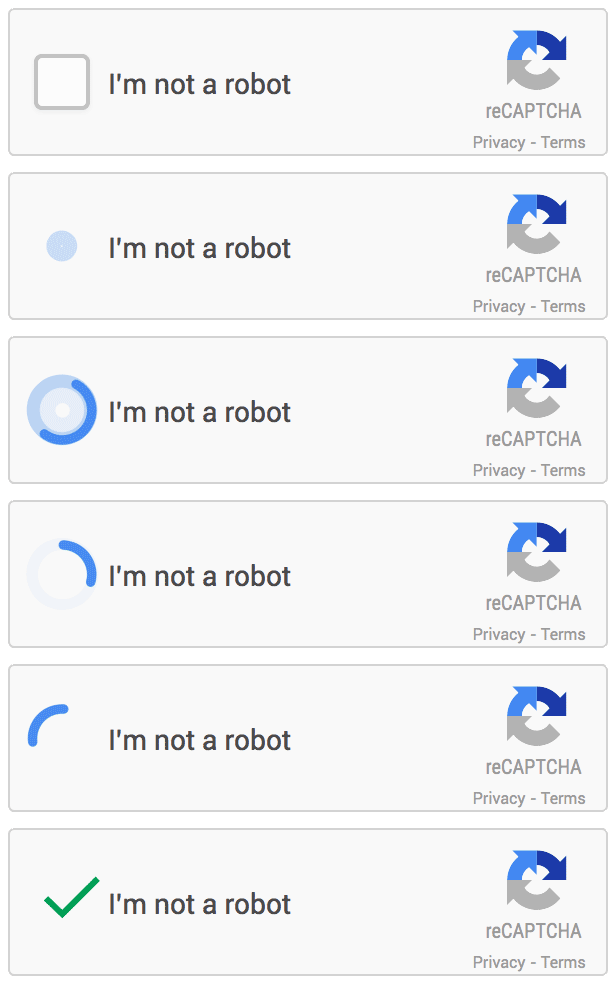
Have you ever encountered an “I’m not a robot” checkbox or solved a visual puzzle while trying to log in to a website? If so, you’ve likely encountered reCAPTCHA, a security system that distinguishes between humans and bots online. Originally developed by Google, reCAPTCHA helps prevent automated programs from spamming websites with malicious content or attempting to perform actions that only humans should be able to do, such as creating accounts, making purchases, or submitting forms.

When using reCAPTCHA, users are typically required to solve visual puzzles or answer questions to prove that they are human. These puzzles can include identifying blurry images of cars, traffic lights, crosswalks, and other objects. Additionally, there is an “I’m not a robot” checkbox that requires users to click on a box indicating that they’re not a bot. Depending on the level of suspicion, users may be prompted to solve a captcha to complete the process.

One alternative to the checkbox approach is the invisible reCAPTCHA badge, which doesn’t require users to click on a box. Instead, it’s triggered directly when the user clicks on an existing button on the site or can be invoked via a JavaScript API call. This integration requires a JavaScript callback when reCAPTCHA verification is complete. By default, only the most suspicious traffic will be prompted to solve a captcha.

However, even with its robust security features, reCAPTCHA isn’t infallible. Recently, a customer of mine encountered an issue with a carrier site they used to manage their mobile phones. Although they could access the site, they couldn’t log in most of the time, receiving an error message that said, “Sorry, something went wrong. Please try again later.” After troubleshooting the issue and ruling out problems with firewalls, proxies, and IPS, we discovered that the issue was related to reCAPTCHA. Specifically, the Invisible reCAPTCHA mistakenly flagged us as robots, preventing us from logging into the site.

While this was frustrating, it highlights the importance of testing and troubleshooting when it comes to any technology or security system. Ultimately, we were able to work with the carrier to resolve the issue and regain access to the site.

Despite its benefits, reCAPTCHA can also have some downsides. For example, some users may find the visual puzzles or other challenges difficult to complete, particularly those with visual impairments or other disabilities. Additionally, some experts have raised concerns about the use of reCAPTCHA to train machine learning algorithms, which could potentially be used for other purposes. To address these concerns, some websites have begun to offer alternative verification methods, such as audio challenges or simpler visual puzzles. Additionally, researchers are exploring new ways to distinguish between humans and bots online, such as through analysis of user behavior or biometric data.

In conclusion, while reCAPTCHA can be a valuable tool for preventing bots and maintaining website security, it’s important to acknowledge and address its potential downsides. By staying informed and seeking out alternative solutions where appropriate, we can help ensure that reCAPTCHA continues to protect users online while minimizing its impact on user experience.

Cisco WLC:PSK and AAA Accounting ?

It all started with a request from one of our application administrators that seemed pretty straightforward. They wanted detailed insights for one SSID they planned to possibly rollout on our ships specifically; they needed to track when users connected or disconnected and identify which Access Points (APs) and SSIDs were in use. My initial thought was to direct them toward Syslog. However, Syslog’s verbosity quickly became apparent; it would inundate their logs with data, turning their simple request into a daunting task of parsing and analysis. Clearly, it was far from ideal.

The conversation took an unexpected turn when the application administrator suggested an alternative I hadn’t considered for this context: AAA Accounting. My experience with AAA (Authentication, Authorization, and Accounting) had always been in tandem with Tacacs or Radius—never had I seen AAA Accounting used in isolation, especially not on a WLAN configured with Pre-shared Key (PSK) authentication. Skeptical, I assumed this approach wouldn’t work.

Driven by a blend of skepticism and intrigue, I tweaked some configurations on our Cisco Wireless LAN Controller (WLC) settings to accommodate this unconventional use case. The result? A revelation. Contrary to my initial doubts, the adjustments provided the application administrator with the information they sought. This was not just about solving a technical problem; it was a learning curve that shattered my preconceptions about the capabilities and flexibility of AAA Accounting.

AA Inflight Wi-Fi allows you to text for free?

I’m on a flight from ORD to CLT , I connected to the inflight Wi-Fi because it allows you to use the AA app or a web browser to access AA’s site for account management or to check the status of flights. Having missed my first flight from ORD to CLT because my plane got delayed from BWI( don’t ask ) . I wanted to make sure my flight from CLT home was on time and I would be able to get a seat. I looked down and saw this.

I thought it was odd it showed “VZW Wi-Fi “. Did their free limited Wi-Fi allow my phone to tunnel back to VZW ? apparently yes it did. I was unable to send iMessages but SMS was allowed , texted my wife and friends through SMS and to my surprise got texts back.

Thanks AA !

It’s Time for My Next Adventure!

After 12 years I am no longer with Ferguson Enterprises. In March I began my new adventure with Unisys as a Network Design Engineer I. The network I am working on is vast and complex, more complex than anything I have previously encountered. The team I am on is responsible for Routers, Switches, Data Center, F5s, VPN, and Firewalls. There is a lot to learn and I am definitely ready for the challenge.

Meraki- No UNII-3 for you! Unless….

Recently, I noticed something at the template level for RF-Profiles UNII-3 is not available for use in the Meraki portal.

This seemed off to me because I was sure , I’ve been able to enable UNII-3 channels in the past.

I went into a site I knew we enabled UNII-3 at and I saw the difference.

From a top level template we are unable to use UNII-3 but if I create a local RF Profile suddenly I can enable UNII-3. I thought this was strange so naturally I opened up a ticket with Meraki.

Here is the reply I got.

The Meraki devices are not certified for U-NII-3 bands in all regions and in fact in some regions they are not even allowed. A template allows networks from different regions to be bound and thus that setting is now available on the template and instead is pushed down to each network based on which region the network is set to.

So I asked ” Is there any way to set the parent template in a region and does this differ by AP type? Also, is there a Meraki doc that explains this?”

and the reply

“Unfortunately we cannot set a region for template and no it does not differ by AP the regional restrictions are for specific channels and apply to all AP models. We do not have document for this specific template behavior but more information about regulatory domain can be found below. https://documentation.meraki.com/MR/Radio_Settings/MR_Wireless_Regulatory_Domains”

This brought up a major design issue with me using parent templates for Meraki wireless. If I use the default Meraki options I can use UNII-1, UNII-2, and UNII-2 Extended.

Depending on the devices I am using and where I am located , there is a possibility I could get locked into only using UNII-1. Four Channels at 20MHZ , Two at 40MHZ and One at 80 MHZ. Best Worst case scenario I use 20MHZ and pray the environment won’t be a large dense one. Otherwise I am going to need to make some tough decisions.

So here is where I play devils advocate. From a business standpoint the big “win” with Meraki is everything streamlined cloud. Meraki sells this solution like Ron Popeil ” Set it and forget it !”, we all know that is definitely not the case.

Now from a tech standpoint for every site to have a unique RF profile makes perfect sense as for the most part no two RF environments are the same. When this needs to be scaled to 1000+ sites is that reasonable to manage 1000+ different RF profiles?

Yes we probably could build a script and manage it via the API. I really would like to know how others are currently managing this?

Quirks with BGP and BFD-Cisco Nexus (TLDR at bottom)

So I’ve setup BFD on point to point interfaces and making BGP BFD ” aware” on IOS many times no problems.

But this time was different. I had a nexus 9k in the standalone code so no ACI in my on-prem datacenter and my “cloud” datacenter. Setup a point to point interface , turned on “feature bfd”,

Added to both ends on the interface and BGP. I ran the “show bfd neighbors” command and got nothing back on either side.At this point I was legitimately confused. So instead of wasting time I opened a TAC case with Cisco.

We reviewed the config and in true Cisco fashion they advised to upgrade the code. We did the following weekend, no change. At this point both the TAC engineer and myself are both baffled.

Here where it gets interesting, so I had originally planned BGP to terminate on an upstream device until I learned that multi hop BFD was not available in the current code so I changed it to the directly connected Nexus 9k. What I didn’t realize is I created my own problem. After some troubleshooting we decided to the eBGP multi hop and wouldn’t you know after we restarted the BGP process BFD came screaming to life.

I tried looking in Cisco documentation to see if this was called out anywhere. It was not or anywhere I could find. Now I know and I wanted to put it out there so others don’t end up beating their heads on a desk for days trying to figure out what the heck is going on.

TLDR; BFD wasn’t working between two Nexus 9ks, Opened a TAC case. We figured out that BFD and eBGP multi hop are incompatible configurations.

We got nailed.. by Unix

For the past few days we were in a war room senario because we were encountering an issue where our ERP system that sends PDF attached emails via Unix nail was experiencing a delay that caused the queue to back up significantly and preaty much piss all of our associates off . Of course everyone blamed the “network” isn’t it always lol. So back to the issue every other type of email the servers sent no delay at all only ones with the PDF attachments were seeing this delay.

Now we have some pretty sweet tools Extra Hop that we span a lot of our links though a gigamon tap. It’s collects a ton of information and always gives us a good idea if there is a poblem what it is. We also have a tool called Omni Peek , my personal favorite when we need to get down and dirty and start doing packet captures it can take 100MB capture files with millions of packets less than min to use it analysis engine to find what it deems as potienal issues.

This problem was kicking our butts all packet captures were telling us was “SMTP slow response” We rebooted and rebuilt our relay gateways and no change. We spun up Azure SendGrid to take exchange out of the picture , still had the slowness.

After days of this we found a bandaid of just send more sessions. We were doing 3 sessions a second we pumped that up to 15 and it worked but still with a delay. Then one of our network techs stumbled on to something he said I’m seeing a lot of DNS errors in Extra Hop could that be it?

Well the box over the last months has had those lookup errors and this problem was only a few days so we thought yeah it’s an issue but not the issue. At this point we were grasping at straws so we said screw it let’s remove one of our DNS server VIPs out of the picture and BAM!!! Everthing work 100% no delays. We were all stunned. Why was the nail client in Unix the only thing affected by this? Maybe it’s that sensitive??? But now it’s fixed and I was glad it was a Friday, left work early and started a few days of vacation.

Gathering Info with Meraki’s API and its issue with templates.

When you manage a Meraki network sometimes we need to pull information/reports that are not easily done from the Web GUI. This is exactly what happened to me and in order to get the information I wanted I would need to use their API. My manager asked me to get a list of all our APs and it needed to have which SSID and BSSID were in use by the AP. Working with a SE from Meraki, he sent me a script that should have pulled all the data I needed there was just one problem. It pulled the data, just not how I expected it. When I looked at the script output, there was something wrong. Below is a redacted output I got from the script.

SSID
MR33_AP_##_City_State WiFi

This was not the data I wanted. I looked through the rest of my sheet and found that some sites it pulled the data in the format I wanted it in.

SSID
Guest WiFi
IOT-SSID
Laptop-SSID
RF Scanner SSID

So I wondered well what’s the difference. After some research / stare and compares I found it!

In Meraki, you can choose from a bunch of different templates depending on the device. There is also one known as “Combined Hardware.” Sounds good right, not having to make a separate template for every device. One Template to rule them all.

Well, that was the issue. At sites where the report showed

MR33_AP_##_City_State WiFi

They were all using combined templates. As a test, I separated them into device-specific templates and voila! So there is something with how my script or their API pulls that information from devices in a combined template. Hope this helps you in your travels.

Link to Script.

https://github.com/werobbinsIII/Meraki-API_Python/tree/master